
The DIGIBOX streaming box is often described by two numbers: 4GB of RAM and 64GB of storage. The DIGIBOX D6 MAX RAM and storage figures do different jobs. Understanding the difference helps you decide whether the box fits your household and avoid expecting a specification to guarantee a particular app or stream.
According to the current DIGIBOX D6 MAX product specifications, the device has 4GB DDR3 RAM and 64GB eMMC built-in storage, alongside Android 12. This article translates those figures into ordinary living-room decisions: running apps, installing them, keeping local files, and knowing when space is running low.
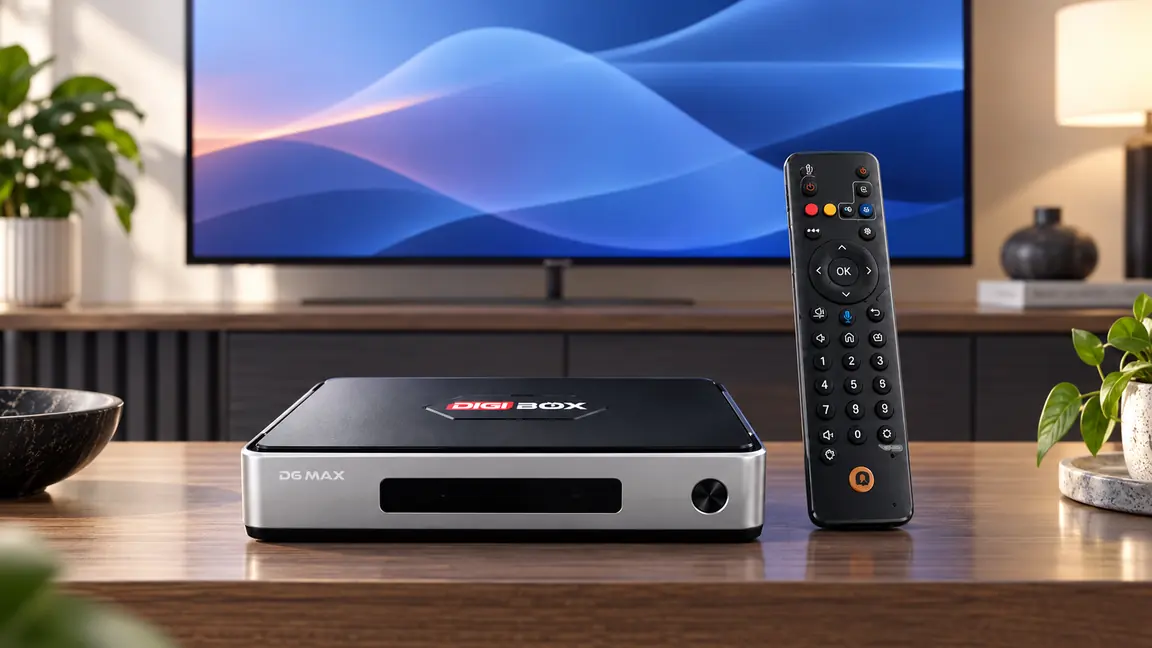
The two numbers answer different questions
| Specification | What it is | What it does not guarantee |
| 4GB RAM | Working memory used while the system and apps are active | A fixed streaming quality or a specific app’s certification |
| 64GB eMMC | Built-in space for the system, apps, updates and personal files | 64GB of empty space on the day you open the box |
RAM is temporary working space. Storage holds data even after you turn the device off. Android itself and installed software occupy some of the advertised storage, so the free amount visible in settings will be lower than 64GB. The exact free amount can change with software versions and installed apps; we do not assign a number without checking an actual unit.
What 4GB RAM changes in everyday use
When you move around the home interface, open an app, search, and return to another screen, the system uses RAM to keep active work available. More available RAM can help ordinary navigation and switching, but it is one part of performance, along with the processor, software, network, and the app itself.
Think about a family evening: one person browses a video library, someone searches with the remote, and a music or photo app may be opened later. The 4GB figure describes the hardware budget for those active tasks. It does not mean every app can remain open indefinitely, and it does not determine whether a third-party service permits HD or 4K playback.
If your main question is how the full device feels in use, the DIGIBOX D6 MAX review puts its hardware in the context of everyday entertainment.

What actually uses the 64GB built-in storage?
- Android and preinstalled software occupy part of the built-in capacity.
- Each additional compatible app takes space, and updates may use more.
- App caches and downloads can grow over time.
- Personal photos, videos, and other local files use space when you save them on the box.
That is why “64GB storage” should not be read as “64GB available for my movies.” Check the device’s own storage screen after setup for the current free-space figure. If you mostly watch online content, your local-storage needs may be modest; if you keep large personal media files, plan more carefully.
For the distinction between included software and apps you choose to add, the DIGIBOX app installation guide explains the available installation paths and why provider compatibility still matters.
Three household scenarios
One: Mostly streaming and browsing
A household that opens a few compatible apps and keeps little personal media on the box will use storage differently from someone building a large offline library. In this case, the connection and the apps you actually use may matter more than trying to fill every available gigabyte.
Two: Keeping personal media close to the TV
The DIGIBOX D6 MAX product page lists four USB 2.0 ports and a MicroSD slot. Those connections may be useful for compatible personal files or accessories, but support depends on the file, app, and storage device. A USB drive shown in an image is an example of separate storage, not an included accessory.

Three: An older TV that still works
If your display has a suitable HDMI input, the box can add an Android-based environment without replacing the screen. The old-TV upgrade guide covers that use case. RAM and storage belong to the box; they do not change the TV panel’s native resolution.
A few spec-sheet traps to avoid
- Do not compare advertised storage with free space after setup as though they were the same number.
- Do not treat video-decoding capability as proof that a particular service will deliver a specific resolution.
- Do not assume a larger memory figure can fix a weak internet connection or a service outage.
- Do not install unfamiliar APK files merely because storage is available.
The product supports H.265 decoding up to 4K at 60 fps and 8K at 24 fps according to its current specification, but actual playback depends on the source, app, display, HDMI setup, and network. If your decision centers on programming rather than hardware, read the DIGIBOX viewing-options guide separately.
Questions to ask before you buy
Make a short list of the apps and personal files you expect to use. Check whether the display has HDMI, where the router sits, and whether you want wired networking. Then check the current product listing for ports, included accessories, and support terms. The US buyer checklist is useful if you want a broader pre-purchase review.
If you order through this official retailer site, the stated checkout policy is that you pay the TV box price without additional tax, shipping, delivery, or other checkout charges. Optional third-party app subscriptions or internet service are separate decisions.

Common questions
Is 4GB RAM the same as 64GB storage?
No. RAM helps the active system and apps run; storage keeps the operating system, apps, updates, and files.
Will I see 64GB free when I first turn on DIGIBOX D6 MAX?
No. The operating system and included software use part of the built-in storage. Check the device for its current available amount.
Does 4GB RAM guarantee smooth video from every service?
No. Playback also depends on the app, source, network, television, and service rules.
Can I connect separate storage?
The current specifications list USB 2.0 ports and a MicroSD slot. Confirm file and app compatibility for the media you want to use.
Should I buy based on memory alone?
No. Match the device’s ports, connectivity, controls, app requirements, and support to the way your household watches.
Choose the hardware for your own viewing habits
The DIGIBOX authorized store is the place to check current retailer information and support.
For the exact hardware and accessories on offer now, review the DIGIBOX D6 MAX TV box details before placing an order.