
If you are looking for a streaming device in 2026, there is a good chance the Amazon Fire TV Stick 4K Max is already on your shortlist.
It is compact, familiar, easy to set up, and built around popular streaming services. For many households, that is exactly what they need.
But what if you want something more flexible than a streaming stick? That is where the DIGIBOX D6 MAX enters the comparison.
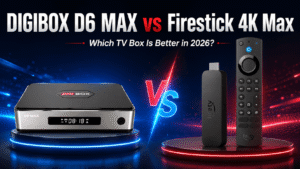
The DIGIBOX D6 MAX is a full-size Android-based TV box with 4GB of RAM, 64GB of storage, Wi-Fi 6, built-in Gigabit Ethernet, Bluetooth 5.4, multiple USB ports, and a voice Air Mouse remote. The Fire TV Stick 4K Max takes a very different approach, prioritizing simplicity, Amazon’s Fire OS ecosystem, mainstream streaming services, Dolby support, and an extremely compact design.
So which one should you choose? The answer depends less on which device has the longer list of specifications and more on how you actually use your television.
If you are unfamiliar with the brand, read our What Is DIGIBOX? guide before comparing the hardware in detail.
DIGIBOX D6 MAX vs Firestick 4K Max: Specs Comparison
The two devices are designed for different types of users.
Amazon’s second-generation Fire TV Stick 4K Max uses Fire OS 8, a quad-core Cortex-A55 processor running up to 2.0GHz, 2GB of RAM, 16GB of storage, Wi-Fi 6E, Bluetooth 5.2, Dolby Vision, HDR10+, and Dolby Atmos support.
The DIGIBOX D6 MAX runs Android 12 and combines a quad-core Cortex-A53 processor with 4GB DDR3 RAM, 64GB eMMC storage, dual-band 2T2R Wi-Fi 6, built-in 10/100/1000 Mbps Gigabit Ethernet, Bluetooth 5.4, and a wider selection of physical ports.
| Feature | DIGIBOX D6 MAX | Fire TV Stick 4K Max |
|---|---|---|
| Operating System | Android 12 | Fire OS 8 |
| CPU | Quad-Core Cortex-A53 | Quad-Core Cortex-A55 up to 2.0GHz |
| RAM | 4GB DDR3 | 2GB LPDDR4 |
| Storage | 64GB eMMC | 16GB |
| Wi-Fi | Dual-band Wi-Fi 6, 2T2R | Wi-Fi 6E |
| Ethernet | Built-in Gigabit Ethernet | Requires adapter, up to 10/100 Mbps |
| Bluetooth | Bluetooth 5.4 | Bluetooth 5.2 |
| Remote | Voice + Air Mouse + Backlit Keys | Alexa Voice Remote Enhanced |
| USB / Expansion | Multiple USB ports + MicroSD | Very limited expansion |
| Dolby Vision | Not a headline feature | Yes |
| Dolby Atmos | App/device dependent | Yes |
| Best For | Flexible TV box / international households | Mainstream streaming |
Android-Based DIGIBOX vs Fire OS: Which Is More Flexible?
One of the biggest differences is software philosophy.
The DIGIBOX D6 MAX uses Android 12. That makes it closer to a traditional Android TV box experience, where users can install compatible Android applications, connect external storage and accessories, and use the device for more than a few major streaming platforms.
For people who like customizing their TV setup, using different media players, accessing local files, connecting keyboards, or experimenting with compatible Android apps, this flexibility is valuable.
The Firestick uses Fire OS 8, Amazon’s own Android-derived operating system. Fire OS is more controlled and tightly connected to Amazon services. That can feel restrictive to advanced users, but it is also one of Firestick’s biggest strengths. The interface is designed around television viewing. You log into your Amazon account, install supported apps, and start watching.
For someone who does not want to customize anything, Fire OS may actually be easier.
Winner for flexibility: DIGIBOX D6 MAX
Winner for simplicity: Fire TV Stick 4K Max
You can explore more DIGIBOX hardware and support resources from the DIGIBOX Official Website.
RAM and Storage: DIGIBOX Has a Major Advantage
The Fire TV Stick 4K Max comes with:
- 2GB RAM
- 16GB storage
DIGIBOX D6 MAX provides:
- 4GB RAM
- 64GB eMMC storage
That gives the DIGI BOX four times the internal storage.
For basic Netflix, YouTube, Prime Video, and Disney+ use, 16GB can still be enough for many Firestick owners.
The difference becomes more noticeable if you want to install more apps, maintain larger caches, use local media, or keep more applications available without constantly managing storage.
The extra RAM can also help the DIGIBOX TV box when switching between compatible applications and handling a broader Android environment.
However, RAM alone does not determine performance. Firestick’s software is heavily optimized around Amazon’s hardware, and its Cortex-A55 processor is newer than the Cortex-A53 architecture used by D6 MAX. So Firestick can still feel responsive despite having less RAM.
For users who prioritize storage capacity and expansion, however, the result is clear. Winner: DIGIBOX D6 MAX
For a deeper look at D6 MAX hardware, apps and everyday use, see our full DIGIBOX D6 MAX Review 2026.
Wi-Fi 6E vs Wi-Fi 6: Firestick Wins Wireless, DIGIBOX Wins Ethernet
Fire TV Stick 4K Max supports tri-band Wi-Fi 6E, including the 6GHz band. Amazon also lists Ethernet support through an external adapter at up to 10/100 Mbps.
DIGIBOX D6 MAX uses dual-band 2T2R Wi-Fi 6 and includes a built-in 10/100/1000 Mbps Gigabit Ethernet port.
If you have a Wi-Fi 6E router and want the latest wireless connection between these two devices, the Firestick has the advantage.
But if your TV is located near your router and you prefer the consistency of a wired connection, DIGIBOX is much more convenient.
You do not need a separate Ethernet adapter, and the built-in Gigabit interface provides the D6 MAX considerably more wired network capacity.
This can matter in larger households where Wi-Fi is already shared among phones, computers, game consoles, cameras and smart-home devices.
Our separate DIGIBOX Wi-Fi vs Ethernet guide explains when each connection makes more sense.
Wireless winner: Fire TV Stick 4K Max
Wired networking winner: DIGIBOX D6 MAX
Netflix, Prime Video and Disney+: Firestick Is the Safer Choice
If your main reason for buying a streaming device is to watch services such as:
- Netflix
- Amazon Prime Video
- Disney+
- YouTube
- Other major U.S. streaming platforms
the Fire TV Stick 4K Max is the safer choice. Amazon’s device is built specifically around mainstream streaming services and supports technologies including Widevine L1, PlayReady, Dolby Vision, HDR10+, HDR10, HLG and Dolby Atmos.
The DIGIBOX D6 MAX can install compatible Android applications, but app availability, resolution, DRM certification, subscriptions, geographic availability and playback quality are controlled by the individual service providers.
Buy DIGIBOX if you want a broader and more flexible TV box.
For households built primarily around mainstream U.S. subscription streaming, Firestick remains excellent.
Winner: Fire TV Stick 4K Max
Remote Control: Alexa vs Air Mouse
Firestick includes the Alexa Voice Remote Enhanced, with voice search plus dedicated television power, volume, and channel controls. Amazon’s Alexa integration is polished and particularly convenient if your household already uses Echo or other Alexa devices.
DIGIBOX D6 MAX takes a more PC-like approach. Its Bluetooth remote supports:
- Voice input
- Air Mouse motion control
- Backlit keys
- Shortcut buttons
- Compatible TV learning controls
The Air Mouse is especially useful when using Android applications that were not designed entirely around traditional directional remote navigation.
So the winner depends on the user.
For Alexa and mainstream streaming: Firestick
For Android navigation and more flexible app control: DIGIBOX
Ports and Local Media: DIGIBOX Is in a Different Class
Firestick’s tiny form factor is great for portability, but it also limits connectivity.
The DIGIBOX D6 MAX includes HDMI, Gigabit Ethernet, AV output, optical SPDIF, four USB 2.0 ports, MicroSD support and USB-C power. That makes it easier to connect devices such as:
- USB storage drives
- Wireless keyboards
- Compatible controllers
- External media
- Other USB accessories
If you frequently play your own video files or want the television box to function more like a general home media center, the DIGIBOX is significantly more practical.
Firestick is designed primarily to disappear behind your television.
DIGIBOX is designed to sit alongside it and connect to other hardware.
Winner: DIGIBOX D6 MAX
Which Is Better for International and Multilingual Families?
This is where the DIGIBOX TV box becomes more interesting.
A typical U.S. household that primarily watches Netflix, Prime Video, Hulu, Disney+ or YouTube may not need a more complex Android TV box.
But international households often use televisions differently.
One family member may watch English-language streaming services. Another may prefer regional apps. Parents may want local media. Grandparents may prefer a different language. Other users may want Android apps, USB media, or wired networking.
Instead of optimizing the television around one ecosystem, these households often benefit from flexibility.
That is one of the reasons we consider the DIGIBOX D6 MAX particularly suitable for overseas and multilingual homes.
For a more detailed discussion, read our guide to choosing the best TV box for overseas families in 2026.
You can also see our DIGIBOX content and apps guide to understand the types of entertainment and compatible applications a DIGI BOX can support.
Winner for international flexibility: DIGIBOX D6 MAX
Firestick 4K Max vs DIGIBOX D6 MAX: Who Should Buy Which?
Choose Fire TV Stick 4K Max If…
Firestick is probably the better choice if you want a simple device for mainstream streaming. It makes particular sense for users already invested in Amazon Prime, Alexa and popular U.S. streaming platforms. Its Dolby Vision, Dolby Atmos and Wi-Fi 6E support also make it a strong compact 4K streaming device.
Choose DIGIBOX D6 MAX If…
DIGIBOX makes more sense if you want your TV box to do more than launch a few major streaming services.
Its 4GB RAM, 64GB storage, Gigabit Ethernet, four USB ports, MicroSD support, Android environment and Air Mouse remote make it better suited to users who value flexibility.
It is particularly attractive for international households, users with large app libraries, people who play local media and viewers who prefer wired networking.
Final Verdict: DIGIBOX D6 MAX or Firestick 4K Max?
Our recommendation is simple:
Choose Firestick for mainstream streaming simplicity.
Choose DIGIBOX D6 MAX for flexibility, connectivity, storage, and a more complete home entertainment setup.
If the second description sounds more like how your household watches television, explore the current DIGIBOX D6 MAX, specifications, package contents, and availability before ordering.
You can also browse the complete DIGIBOX Official Retailer for current DIGIBOX products and accessories.