
When setting up a DIGIBOX D6 MAX, one of the first decisions many users make is how to connect the device to the internet. Should you use Wi-Fi for a cleaner installation, or should you connect DIGIBOX directly with an Ethernet cable for better stability? This is a common question among TV box users, especially those who use DIGIBOX for live TV streaming, movies, and everyday entertainment.
The short answer:
- ✅ Wi-Fi offers convenience
- ✅ Ethernet provides a more stable connection
However, choosing between Wi-Fi and Ethernet is not only about internet speed. Your home layout, router location, network traffic, and how you use DIGI BOX all affect the actual viewing experience. A fast internet plan does not always guarantee smooth streaming. In many cases, the connection between your router and DIGIBOX plays a bigger role. This guide explains the differences between Wi-Fi and Ethernet connections, when you should use each option, and how to improve your DIGIBOX streaming experience.
📶 Why Does Internet Connection Matter for DIGIBOX?
DIGIBOX for TV is designed to provide an online entertainment experience. Whether you are watching live channels, movies, TV shows, or using different entertainment applications, the device needs a consistent internet connection to receive data. The connection path looks like this:
Every step can affect playback quality. For example:
- Your internet provider may offer fast speeds.
- Your smartphone may show excellent Wi-Fi performance.
- Your laptop may work perfectly.
But if the Wi-Fi signal near your DIGIBOX TV box is weak or unstable, the TV viewing experience can still be affected. This is why some users experience buffering even when they have a high-speed internet package. The problem is not always the internet speed itself. Sometimes the issue is the connection method.
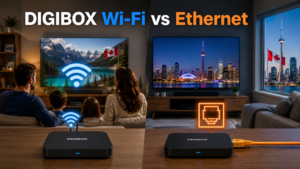
🔌 DIGIBOX WiFi vs Ethernet: What Is the Difference?
Wi-Fi Connection: Wi-Fi connects your DIGIBOX wirelessly to your home router. It is the most common setup method because it requires no additional cables. Advantages of Wi-Fi:
- Easy installation
- No cable management
- Cleaner entertainment setup
- Works well for most homes
- Easy to move the device
For many users, Wi-Fi is already enough. If your router is close to your DIGI BOX and your streaming experience is stable, there is usually no reason to change.
Ethernet Connection: Ethernet uses a physical network cable to connect DIGIBOX directly to your router. Instead of sending data through wireless signals, it creates a direct connection. Advantages of Ethernet:
- More stable connection
- Less affected by wireless interference
- Better consistency over long viewing sessions
- Reliable for devices in fixed locations
For users who watch live TV frequently, Ethernet can provide a more predictable experience.
⚖️ Which Connection Is Better for DIGIBOX Live TV?
The answer depends on your home environment. There is no single option that is perfect for everyone. A user living in a small apartment may have a completely different experience from someone living in a large house. Let’s look at common situations.
✅ When Wi-Fi Is Enough for DIGIBOX
If your router is located near your television, Wi-Fi is usually a very practical choice. Examples:
- Router in the living room
- DIGIBOX connected to the living room TV
- Only a few meters apart
In this situation, the wireless signal is usually strong enough for everyday streaming. There is no need to add extra cables if everything works smoothly.
Not all streaming experiences require the same network behavior. Watching movies or recorded content often allows some buffering before playback. This means a small temporary network fluctuation may not immediately interrupt your viewing. If your main usage is:
- Movies
- TV series
- Entertainment apps
- Family viewing
A good Wi-Fi connection is often sufficient.
Many users in the US, Canada, UK, and Australia live in apartments where running Ethernet cables is inconvenient. You may not want:
- Long cables across the floor
- Drilling holes
- Changing your home’s layout
In these situations, Wi-Fi is usually the better practical choice. A stable wireless setup is often more valuable than a perfect wired setup that is difficult to install.
💡 When Ethernet Is Better for DIGIBOX
Live TV is more sensitive to connection changes compared with many on-demand videos. Why? Because live streaming needs continuous data delivery. A short interruption or unstable connection can immediately appear as:
- Loading circle
- Temporary freezing
- Video quality changes
If you mainly use DIGIBOX for live channels, Ethernet is worth considering.
Distance is one of the biggest factors affecting Wi-Fi. For example:
Situation A
Router: Living room
DIGIBOX: Same room
→ Wi-Fi usually works well.
Situation B
Router: First floor office
DIGIBOX: Second floor bedroom
→ Wi-Fi may become less reliable.
Walls, floors, furniture, and distance can reduce wireless performance. In larger homes, Ethernet often becomes a more attractive option.
Modern homes have many connected devices:
- Smartphones
- Tablets
- Smart TVs
- Gaming consoles
- Security cameras
- Computers
- Smart home devices
During busy hours, your wireless network may become crowded. For example:
Evening time:
- Someone watches Netflix
- Another person joins a video meeting
- Children play online games
- Multiple phones upload photos
Your DIGIBOX may experience less consistent wireless performance. A wired connection separates DIGIBOX from some of these wireless limitations.
🤔 Is Ethernet Faster Than Wi-Fi for DIGIBOX?
This is one of the most misunderstood questions. The answer: Not always. Modern Wi-Fi can be extremely fast. For DIGIBOX users, the biggest advantage of Ethernet is usually not maximum speed.
It is: stability and consistency. A stable 100 Mbps connection can provide a better streaming experience than an unstable Wi-Fi connection with higher peak speeds. Streaming does not only depend on the highest speed number. It depends on whether the connection stays reliable during playback.
📡 Should DIGIBOX Use 2.4GHz or 5GHz Wi-Fi?
If you choose Wi-Fi, your router may offer two networks: 2.4GHz and 5GHz. Both have advantages.
2.4GHz Wi-Fi
Advantages:
- Longer range
- Better wall penetration
- More suitable for distant rooms
Disadvantages:
- More crowded frequency
- Usually lower performance compared with 5GHz
If your DIGIBOX is far from the router, 2.4GHz may sometimes provide a more stable connection.
5GHz Wi-Fi
Advantages:
- Higher wireless performance
- Less interference in many environments
- Better for nearby devices
Disadvantages:
- Shorter range
- Signal drops faster through walls
If your router and DIGIBOX are in the same room, 5GHz is usually worth testing.
🔍 How to Test If Your DIGIBOX Needs Ethernet
Step 1: Test Your Current Wi-Fi
Use DIGIBOX D6 Max normally. Watch the same type of content you usually watch. Check:
- Does playback start quickly?
- Does buffering happen?
- Does quality change?
- Does freezing occur?
Step 2: Connect Ethernet
Use a network cable: Router → Ethernet Cable → DIGIBOX, then test the same content.
Step 3: Compare Results
If Ethernet improves the experience:
Your Wi-Fi environment may be the limitation.
Possible solutions:
- Move your router
- Improve Wi-Fi coverage
- Use Ethernet permanently
If there is no improvement:
The issue may come from another area:
- Router performance
- Internet provider
- Application issue
- Network congestion
🛠️ Common DIGIBOX Connection Problems and Solutions
Try:
- Restart DIGIBOX D6 MAX
- Restart router
- Test another network connection
- Check Wi-Fi signal strength
- Try Ethernet if available
This can happen because evening hours usually have higher network usage.
Check:
- Other devices using bandwidth
- Wi-Fi congestion
- Router performance
Testing Ethernet can help identify whether the wireless connection is the problem.
Possible solutions:
- Move router closer
- Use 5GHz when nearby
- Use 2.4GHz for longer distance
- Add a mesh Wi-Fi system
- Use an Ethernet cable
🏠 DIGIBOX Setup Recommendations by Home Type
Recommended: Wi-Fi first
Most apartments have shorter distances, router nearby, easier wireless setup. Try Ethernet only if problems occur.
Recommended: Consider Ethernet
Especially when the router is far away, on multiple floors, many connected devices. A wired connection can provide a more stable experience.
Recommended: Ethernet if possible
Because live streaming benefits from consistent data delivery.
💰 Do You Need to Upgrade Your Internet Plan?
Many users think: “My DIGIBOX D6 MAX buffers, so I need faster internet.”
Not always. Increasing your internet speed from 300 Mbps → 1 Gigabit may not solve a Wi-Fi coverage problem.
First check:
- Connection method
- Router location
- Wi-Fi strength
- Network usage
A better connection path is often more valuable than simply buying a faster plan.
If your DIGIBOX is still buffering or not working properly after checking your Wi-Fi, Ethernet connection, router, and internet speed, the issue may be related to the device itself rather than your internet plan. Follow our DIGIBOX D6 MAX troubleshooting guide to check common power, HDMI, setup, and device issues step by step.
❓ Frequently Asked Questions
No. DIGIBOX can work with Wi-Fi. Ethernet is recommended when you want maximum stability or have an unreliable wireless environment.
Yes. Many users have excellent experiences using Wi-Fi, especially when the router is nearby and the signal is strong.
Generally, Ethernet provides a more stable connection, which can be helpful for live TV streaming.
Because internet speed is only one part of the connection. Wi-Fi interference, router distance, and network congestion can also affect performance.
For most homes:
• Start with Wi-Fi.
• Switch to Ethernet if stability issues appear.
The best choice depends on your actual home network environment.
📌 Final Thoughts: DIGIBOX WiFi vs Ethernet
There is no universal winner between Wi-Fi and Ethernet. The right choice depends on your home.
Choose Wi-Fi if you want:
- Simple installation
- Clean setup
- Flexible placement
Choose Ethernet if you want:
- Maximum stability
- Fixed installation
- Reliable live TV performance
For most DIGIBOX users, the best approach is simple: start with Wi-Fi. If you experience buffering or unstable playback, test Ethernet before making bigger changes. A stable connection is the foundation of a better streaming experience.
If you’re considering a new TV box for your home entertainment setup, you can also learn more about the DIGIBOX D6 MAX, including its features, specifications, and purchasing options.