
Does DIGIBOX require a monthly subscription in the USA or Canada? Usually, the DIGIBOX D6 MAX is purchased as hardware with a one-time price. That purchase gives you the TV box, remote, power adapter, and the retailer’s stated support and warranty coverage. It does not automatically make every movie, sports package, or third-party app free.
Your real monthly cost depends on the services you choose after the box arrives: internet access, paid apps such as Netflix or Prime Video, and sports memberships such as Sportsnet or TSN. This guide separates those costs so you can estimate a realistic DIGIBOX budget before ordering.
Start with the one-time DIGIBOX hardware price
The first line on your budget is the D6 MAX hardware price. The official retailer page currently shows a sale price of $328, reduced from $798, but prices and promotions can change. Always use the amount displayed on the product page and at checkout as the final reference.
The package is designed to be ready for a living-room setup. The current listing includes the D6 MAX TV box, Bluetooth Voice Air Mouse remote, USB-C power adapter, and user manual, plus the listed bonus accessories. Remote batteries may be separate, so check the package details before you place an order.
- Hardware price: a one-time purchase shown by the store.
- Shipping & Taxes: not required.
- Warranty: coverage follows the retailer’s current warranty and return policy.
Is there an official DIGIBOX monthly fee?
There is no standard DIGIBOX hardware rental or mandatory monthly box fee stated on the current product listing. Once you own the device, you can use its Android interface, compatible applications, local media, and other functions without paying a DIGIBOX hardware subscription each month.
That answer is different from saying every service is free. An application can require its own account, membership, purchase, or regional eligibility. The app provider controls those terms, while DIGIBOX supplies the device and the screen-based interface.
Separate DIGIBOX costs from app subscriptions
Netflix, Prime Video, Sportsnet, and TSN are examples of services that may charge separately. Their plans, prices, sports rights, and supported devices can change, so check the provider’s own checkout before adding them to your monthly estimate.
| Cost category | Who charges it? | How to budget |
|---|---|---|
| DIGIBOX D6 MAX | Authorized DIGIBOX retailer | One-time price shown on the product page |
| Netflix | Netflix | Choose a plan directly from Netflix; price varies by plan and country |
| Prime Video | Amazon | Check the current Prime or Prime Video offer for your region |
| Sportsnet or TSN | Sports service or TV provider | Verify monthly, annual, or provider-bundled pricing |
| Home internet | Your internet provider | Include the plan you already use or a new connection |
| Tax and shipping | Not Required | N/A |
If Netflix is part of your plan, review the official Netflix plan page. For Prime Video, confirm the current offer in your Amazon account. The important point is simple: these charges belong to the service account, not to the DIGIBOX TV box itself.
USA and Canada: what changes by country?
United States buyers
For US customers, DIGIBOX orders placed through this website do not require additional sales tax or shipping charges. The displayed product price is the hardware amount to budget, while your ongoing costs come from internet access and any optional services you choose.
Canadian buyers
For Canadian customers, DIGIBOX orders placed through this website do not require additional GST, HST, PST, shipping, or delivery charges. You can budget from the displayed product price, while your internet plan and optional third-party subscriptions remain separate.
Sports subscriptions can also differ between the USA and Canada. A service available in one country may have different plans or rights in the other. Use the service’s own regional page rather than assuming a US membership transfers to Canada.
Remember the internet bill
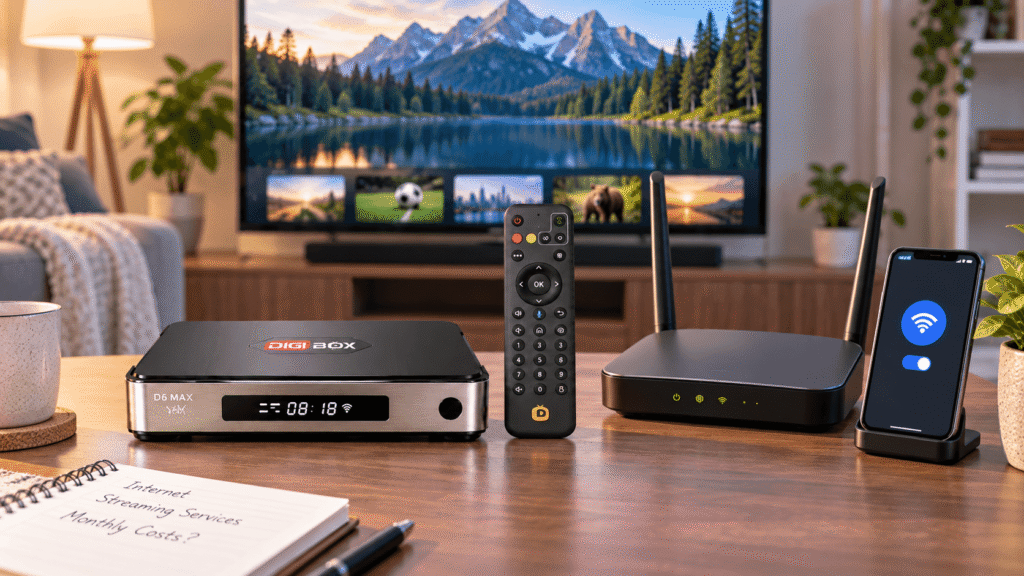
A DIGIBOX TV box needs a network connection for cloud apps and live streaming. The box does not include your internet plan. If your home already has reliable broadband, there may be no new monthly internet charge. If you are setting up a new line, add the provider’s monthly price, equipment rental, installation, and data-overage terms.
The D6 MAX supports dual-band Wi-Fi 6 and Gigabit Ethernet, so you can use wireless or wired networking. Our Wi-Fi and Ethernet guide explains when a cable can improve consistency. Better hardware cannot remove a slow plan, a weak signal, or congestion from other devices.
What “one-time purchase” really means
One-time purchase means you are buying the physical DIGIBOX device instead of renting it month by month. It does not promise unlimited free access to every premium app or channel. Think of the D6 MAX as the control center: you connect it to a display, network, and the services you choose.
- Included: the hardware and accessories listed in the current offer.
- Not automatically included: Netflix, Prime Video, Sportsnet, TSN, or other paid memberships.
- Not included: your home broadband plan, mobile hotspot data, or public Wi-Fi charges.
- No extra checkout charges: DIGIBOX website orders do not add tax or shipping fees.
Use a simple monthly cost formula
To estimate your ongoing budget, add only the services you actually plan to use:
- Write down the one-time DIGIBOX price and checkout total.
- List your existing home internet bill separately.
- Add each paid app or sports service you want on the TV.
- Remove subscriptions you already pay for elsewhere if the DIGIBOX will replace another screen.
- Recheck annual plans, promotional periods, and renewal prices before subscribing.
For example, a household might buy the DIGIBOX D6 MAX once, keep its current internet plan, and add one entertainment membership. Another household might use local media and free apps, creating no new monthly subscription at all. Your total depends on the choices you make after the hardware purchase.
Check warranty and after-sales value
Price is only one part of the buying decision. Orders from this store include support according to the current warranty, return, and setup policies. Read those terms before ordering so you know what happens if the remote, power adapter, or box needs attention.
Keep your order number and model name. If you need help, the D6 MAX setup guide covers HDMI, network, and first-start steps. You can also review the DIGIBOX FAQ or contact customer support with a specific problem.
FAQ: DIGIBOX subscriptions in the USA and Canada
Does DIGIBOX charge a required monthly hardware fee?
The current D6 MAX listing presents the device as a one-time hardware purchase. Check the latest product terms at checkout for the offer that applies to your order.
Are Netflix and Prime Video included with the box?
No automatic inclusion should be assumed. These services manage their own accounts, plans, pricing, and regional availability.
Do Sportsnet or TSN require separate payment?
If you choose a paid Sportsnet, TSN, or provider package, its subscription is separate from the DIGIBOX hardware price.
Does DIGIBOX include internet service?
No. You supply the Wi-Fi, Ethernet, or mobile hotspot connection used by the box.
Can my final total be higher than the advertised price?
DIGIBOX website orders do not add tax or shipping charges. Review the displayed product price and any optional items in the order summary before paying.
Choose DIGIBOX with a clear budget
A DIGIBOX D6 MAX can be a straightforward one-time hardware purchase, but your complete entertainment budget depends on internet service and the apps or sports memberships you select. Separating those line items makes the decision easier and prevents the common mistake of assuming one box purchase covers every premium service.
Review the latest product price and warranty terms in the DIGIBOX official store, then compare the DIGIBOX D6 MAX specifications with your TV, network, and viewing plans.