The DIGIBOX official store and Google Store sell two very different ideas of a living-room streamer. The question is not which specification looks largest in isolation. It is which viewing setup, controls, and accessories make sense for your household.
Start with the DIGIBOX D6 MAX TV box listing for the current package and hardware details.
This DIGIBOX D6 MAX vs Google TV Streamer comparison uses the current DIGIBOX product specifications and Google’s published Google TV Streamer (4K) specifications. Streaming apps, regional availability, and any third-party subscriptions can change. Check your must-have services before treating either box as a guaranteed source of one show or channel.

The decision in one glance
| What matters | DIGIBOX D6 MAX | Google TV Streamer (4K) |
|---|---|---|
| Software platform | Android 12-based DIGIBOX environment | Android TV OS with Google TV interface |
| Memory and storage | 4GB RAM; 64GB eMMC | 4GB RAM; 32GB storage |
| Network | Dual-band Wi-Fi 6; Gigabit Ethernet | Dual-band 802.11ac Wi-Fi; Gigabit Ethernet |
| Controls | Bluetooth voice Air Mouse remote with backlight and TV learning controls | Google TV voice remote with customizable button and Find My Remote |
| Smart-home role | No Matter or Thread hub claim on the DIGIBOX product page | Matter hub and Thread border router listed by Google |
| In the listed package | Remote and USB-C power adapter; promotional HDMI cable and mini keyboard currently advertised | Remote, batteries, power adapter and cable; required HDMI cable sold separately |
These are product-page facts, not a speed benchmark. More storage can be useful for compatible apps and local files, but it does not prove that every app runs faster. Google’s smart-home features matter only if you actually use that ecosystem. The DIGIBOX RAM and storage explainer separates memory from space for files and apps.
Choose by what your household will watch
DIGIBOX gives households its built-in viewing apps alongside compatible Android applications. The retailer describes a wide range of news, sports, films, TV series, documentaries, and animation. That is a meaningful reason to consider DIGIBOX if varied television content is central to the purchase. It is still sensible to verify a particular channel, language, or program in the current app lineup before ordering; libraries and rights can change.
Google TV Streamer is centered on Google TV discovery, casting, and supported streaming services. Its published hardware also includes smart-home controls through Matter and Thread. A household already using Google Home may value that connection more than another 32GB of storage. Neither device makes an optional third-party subscription or home internet connection free.
For a broader look at where DIGIBOX fits among streaming devices, the DIGIBOX versus Roku comparison focuses on multilingual households. It answers a different question from this Google-focused decision.
Why the ports and network still matter
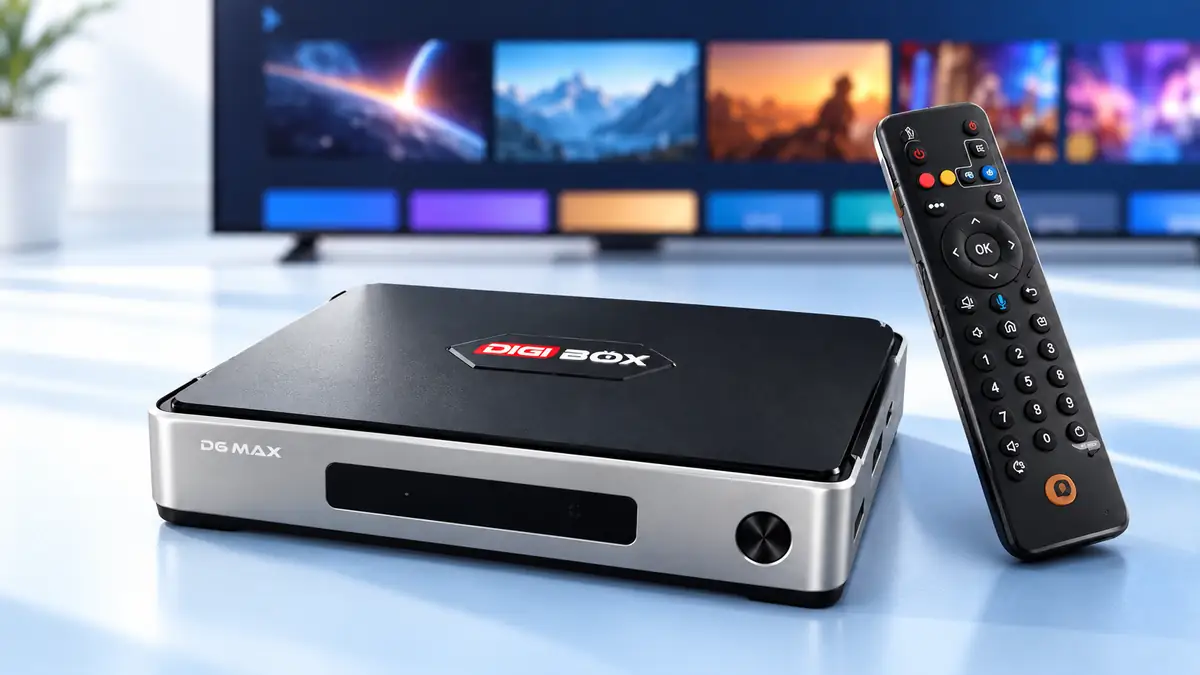
Both boxes list a Gigabit Ethernet connection. That means a wired option is available when the router is close enough; it does not promise Gigabit internet speed or flawless streaming. DIGIBOX lists dual-band Wi-Fi 6, while Google lists dual-band 802.11ac Wi-Fi. Actual performance depends on the router, signal, congestion, connection plan, and app.
The DIGIBOX D6 MAX also lists four USB 2.0 ports, MicroSD, AV output and optical SPDIF in addition to HDMI and Ethernet. These connections create more ways to attach compatible local media and accessories. Google TV Streamer lists HDMI 2.1, USB-C for power/data, and Ethernet; its published strengths are casting and smart-home integration rather than multiple full-size USB ports. If your TV room is already wired, the DIGIBOX Wi-Fi versus Ethernet guide is a useful practical follow-up.
Do not turn the numbers into a picture-quality promise. Google states up to 4K HDR at 60 frames per second and lists Dolby Vision, HDR10, HDR10+, and HLG. DIGIBOX lists H.265 decoding up to 4K at 60fps and 8K at 24fps. Decoding support and the actual resolution of a stream are different things; the app, source, TV and HDMI setup still decide what appears on screen. The DIGIBOX 4K versus 8K explanation unpacks that distinction.
Remote and package: the small details that change a purchase
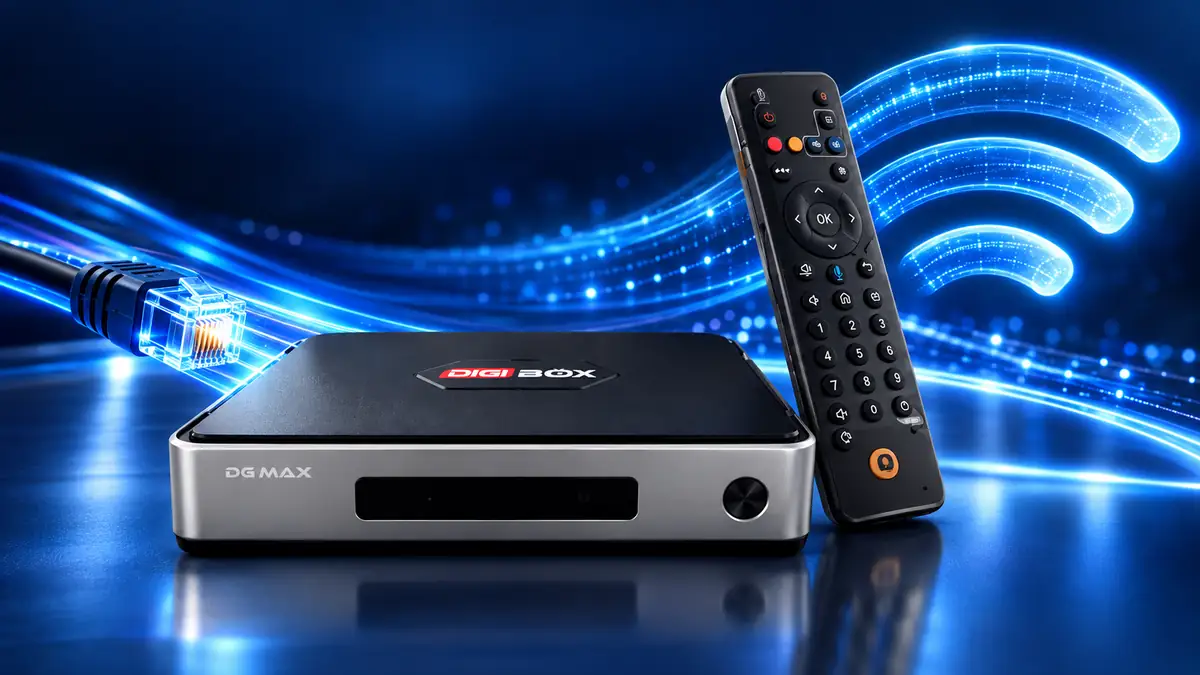
The DIGIBOX Bluetooth voice Air Mouse remote brings pointer control, voice input, backlit keys, shortcuts and compatible TV learning controls. That combination may suit someone who navigates several types of apps from the sofa. Google’s remote has voice input, a customizable button, and Find My Remote; it also includes two AAA batteries. The DIGIBOX product page says remote batteries are not included.
The current DIGIBOX retailer listing advertises a wireless mini keyboard, an 8K HDMI cable, and a protective remote cover as bonus gifts, in addition to the main box, remote, USB-C power adapter, and manual. Google lists its device, voice remote, batteries, power adapter, power cable, guide, and warranty document; its certified HDMI cable is sold separately. Promotional bundles may change, so compare the live product listings at checkout rather than assuming the extras are permanent.
If you are also weighing another hardware brand, the DIGIBOX versus SuperBox S8 Max review addresses a separate ecosystem and product package.
Which buyer fits each device?
- Consider DIGIBOX D6 MAX if the household values the built-in viewing range, more listed storage, multiple USB ports, the Air Mouse remote, and the retailer’s current accessory package.
- Consider Google TV Streamer if Google TV discovery, casting, Matter/Thread smart-home control, HDR format support, or Find My Remote are priorities.
- For either one, check the TV’s HDMI input, the household network, must-have apps, region, and any optional service fees before purchasing.
The DIGIBOX D6 MAX buyer assessment helps put those choices in a real U.S. household context. A comparison is useful only when it changes a decision, not when it declares one box universally better.

Five questions before you order
Does DIGIBOX D6 MAX need a monthly plan?
DIGIBOX does not require a mandatory monthly fee simply to own the box and use its built-in environment. Your internet service and optional third-party apps can have separate charges.
Does Google TV Streamer include an HDMI cable?
Google says a certified HDMI 2.1 cable is required and sold separately. Check the current package if you need to use it immediately.
Is 64GB automatically faster than 32GB?
No. Storage capacity is space for compatible apps and files. It is not a reliable standalone measure of menu or playback speed.
Which one works better with smart-home devices?
Google lists Matter and Thread hub functions. The DIGIBOX product page does not make an equivalent smart-home hub claim.
Can I assume every channel or app is available?
No. Confirm your essential content, account eligibility, region, and any subscription terms through the relevant provider or current DIGIBOX information.
The practical call
The DIGIBOX D6 MAX is the stronger fit when the household wants its built-in viewing options, flexible local connections, and Air Mouse controls. Google TV Streamer is compelling for a Google-centered smart home and its listed HDR and remote features. Revisit the DIGIBOX retailer’s current information before deciding.
The DIGIBOX D6 MAX package and specifications show the exact hardware and current offer.
Use code DG5 for 5% off DIGIBOX D6 MAX at checkout.