
Living overseas often changes the way a family uses the television. Parents may want an easier way to access familiar entertainment. Children may use the TV for cartoons, educational videos, or multilingual content. Other family members may prefer YouTube, streaming apps, local media files, or screen casting from a phone.
A good TV box should be easy to use, fast enough for everyday streaming, flexible with apps, reliable on home Wi‑Fi, and simple enough for both younger and older family members.
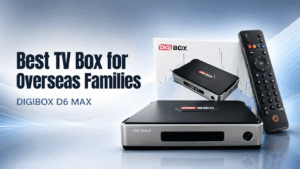
For 2026, the DIGIBOX D6 MAX is one smart TV box worth considering. With Android 12, 4GB RAM, 64GB storage, Wi‑Fi 6, Gigabit Ethernet, Bluetooth 5.4, voice control, and a family‑friendly interface, DIGIBOX combines many of the features overseas households actually use every day.
📺 What Should Overseas Families Look for in a TV Box?
Buying an Android TV box for an overseas household is different from choosing a basic streaming stick for occasional use. For a family device, five things matter most:
- ✅ Simple everyday operation
- ✅ Stable internet connectivity
- ✅ Enough storage for apps and media
- ✅ Support for different languages and viewing habits
- ✅ Easy connection to both new and older televisions
Overseas households are often multilingual as well. Parents, grandparents, and children may all have different viewing preferences, so a TV box needs to be flexible rather than built around only one streaming platform. This is where a full‑featured smart TV box can make more sense than relying entirely on the software built into a television.
⚙️ Why DIGIBOX D6 MAX Fits Overseas Families
The DIGIBOX D6 MAX is an Android-based media box designed to connect to a television, monitor, or projector through HDMI. If you are new to the brand, our What Is DIGIBOX guide explains how DIGIBOX works, its main features, setup basics, and what to know before buying. Under the hood, it runs Android 12 with a quad‑core Cortex‑A53 processor, 4GB of RAM, and 64GB of internal storage. It also supports dual‑band Wi‑Fi 6, 2T2R wireless technology, Gigabit Ethernet, and Bluetooth 5.4.
These specifications are useful, but what matters more is how they translate into everyday family use.
The 4GB RAM helps keep normal navigation and multitasking responsive, while 64GB of storage provides considerably more room for compatible apps and personal media than many basic streaming devices. For an overseas family that wants one box in the living room for several different users, that flexibility is important.
🎬 DIGIBOX D6 MAX and International Family Entertainment
DIGIBOX uses an Android‑based system; users can install compatible applications and customize the device to suit their viewing habits.
The system also supports multiple interface languages. Current DIGIBOX information lists English, Japanese, Korean, Traditional Chinese, Simplified Chinese, Spanish, Portuguese, Indonesian, Vietnamese, Filipino, French, and other language options. That makes the DIGIBOX TV box particularly relevant for multilingual households.
For example, one person may prefer an English interface, while parents or grandparents may be more comfortable using Chinese. Families living in Japan may prefer Japanese system settings, while households in Canada, Australia, or Europe may use several languages at home.
Instead of forcing everyone into one television ecosystem, the box gives households more flexibility to organize compatible apps around their own needs.
🔧 Easy DIGIBOX D6 MAX Setup
First-time installation of the DIGIBOX D6 MAX TV Box is straightforward.
- 🔹 Connect the Digi Box to your television using HDMI
- 🔹 Connect the supplied USB‑C power adapter
- 🔹 Switch the TV to the correct HDMI input
- 🔹 Pair the remote if necessary
- 🔹 Connect the box to Wi‑Fi or Ethernet
The initial setup then guides users through basic options such as language, region, time, and network settings. If you are buying a TV box for parents or grandparents, complicated setup menus can become frustrating very quickly. DIGIBOX uses a relatively clean home interface and includes a Bluetooth voice Air Mouse remote, allowing users to navigate normally, move an on‑screen cursor, or use supported voice functions.
For less technical family members, reducing the amount of typing required can make everyday use much easier.
📶 Wi‑Fi 6 and Gigabit Ethernet for Stable Streaming
A good Android TV box cannot compensate for a poor internet connection, so network performance should be one of the first things overseas families consider. DIGIBOX D6 MAX gives users two strong options.
For wireless households, it supports dual-band Wi-Fi 6 with 2T2R, while users who prefer a wired connection can take advantage of Gigabit Ethernet for a more consistent connection. If you are not sure which option is better for your home, read our DIGIBOX WiFi vs Ethernet guide to compare wireless convenience with wired stability and choose the right setup for your viewing habits.
If your television is close to the router, Ethernet can provide a simple and stable connection. If running a network cable is inconvenient, Wi‑Fi 6 gives you a modern wireless alternative.
For households where several phones, tablets, computers, and smart devices are already sharing the same network, good connectivity is one of the strongest reasons to choose a newer TV box.
👨👩👧 A Smart TV Box for Parents and Children
The best TV box for overseas families also needs to work for more than one age group.
DIGIBOX includes a Kids Lock feature designed to give parents more control over children’s viewing time. The interface allows screen‑time limits to be set, helping families manage how long younger users spend in front of the television.
Voice control can also make a noticeable difference for older users. Typing a movie title or search term one letter at a time with a traditional remote is rarely enjoyable. The Bluetooth voice remote can reduce that friction when supported by the app being used.
This combination of straightforward navigation, voice control, and parental tools makes the D6 MAX more family‑oriented than a basic streaming device designed around a single user.
🔄 Upgrade an Older TV Instead of Replacing It
Another reason families consider a DIGIBOX TV box is that it can extend the useful life of an older television.
As long as the display has a compatible HDMI connection, you can connect the D6 MAX and use the box as the primary smart entertainment interface. That means an older TV with slow built‑in software does not necessarily need to be replaced.
This can be especially practical for:
- ✅ A second TV in the bedroom
- ✅ Parents’ or grandparents’ television
- ✅ Guest rooms
- ✅ Apartments
- ✅ Projectors
- ✅ Older TVs with outdated smart systems
The D6 MAX also provides multiple USB ports and a Micro SD slot, making it possible to connect compatible storage devices and play personal videos, photos, and music. For families with their own collection of home videos or downloaded media, this is an advantage over more limited streaming sticks.
💾 4GB + 64GB Makes a Difference
Specifications such as RAM and storage can look technical, but their purpose is simple. 4GB RAM gives the operating system more working memory for running applications and switching between tasks. 64GB storage is where apps and compatible files can be stored.
For an everyday smart TV box, this combination provides a useful balance.
A household may install video apps, YouTube, media players, utilities, or other compatible Android applications without immediately running into the storage limitations commonly found on entry‑level devices.
The 64GB capacity also makes DIGIBOX more suitable for users who want their TV box to function as a broader home media center rather than simply launching one or two streaming applications.
📱 DIGIBOX D6 MAX Apps and Android Flexibility
A major advantage of an Android‑based box is flexibility. The DIGIBOX D6 MAX can run compatible Android applications, while tools such as Google Play, the browser, file manager, Miracast, network settings, Bluetooth controls, and system utilities make the device useful beyond basic video playback. If you want a closer look at the entertainment options available, see our DIGIBOX D6 MAX apps and channels guide for more details on movies, TV shows, family content, sports, YouTube, music, and local media.
Miracast is especially useful for families. Instead of navigating everything through the TV interface, compatible content can be mirrored from another device to the larger screen.
Parents can display family photos, children can share something from another device, and users can move between personal devices and the living‑room TV more easily. This versatility is one reason a full Android TV box remains attractive even as modern televisions become smarter.
🤔 Is DIGIBOX D6 MAX Worth It in 2026?
“Is DIGIBOX D6 MAX worth it?”
Yes, the D6 MAX is not simply about one specification. Its appeal comes from combining several useful features in one device:
Android 12 + 4GB RAM + 64GB storage + Wi‑Fi 6 + Gigabit Ethernet + Bluetooth 5.4 + voice remote + USB connectivity + multilingual support.
That combination makes it particularly suitable for families who want a single television device that can accommodate different ages, languages, apps, and viewing habits.
If you only need one basic streaming service, a simple streaming stick may already be enough.
But if you want more storage, more ports, wired Ethernet, Android flexibility, voice navigation, and a more complete living‑room media hub, the DIGIBOX D6 MAX becomes much more interesting.
👥 Who Is DIGIBOX Best For?
The D6 MAX makes the most sense for households that want flexibility. It is especially worth considering if:
- ✅ You live overseas, and your household uses multiple languages.
- ✅ Parents and children share the same television.
- ✅ You want both Wi‑Fi 6 and wired Gigabit Ethernet.
- ✅ Your current smart TV interface feels slow or outdated.
- ✅ You want more internal storage for compatible Android apps.
- ✅ You frequently play media from USB or other local storage.
- ✅ You want voice control instead of relying entirely on remote typing.
- ✅ You want one media box that can be moved between compatible televisions.
Its compact design also means the Digi Box can be moved to another television or location as long as you have a compatible display, power source, and internet connection.
🏁 Best TV Box for Overseas Families in 2026?
So, what is the best TV box for overseas families in 2026?
There is no single device that is perfect for every household, but the DIGIBOX D6 MAX checks many of the boxes that matter most to families living abroad. It provides a modern Android platform, 4GB + 64GB memory, Wi‑Fi 6, Gigabit Ethernet, Bluetooth 5.4, voice navigation, multilingual system support, parental controls, local media connectivity, and an interface designed for everyday television use.
More importantly, those features address real family needs. Parents get simpler navigation. Children get a more manageable viewing environment. Multilingual households get more flexibility. Older televisions gain newer smart features. And users who want more than a basic streaming stick get the broader possibilities of an Android TV box.
For families looking for a versatile smart TV box rather than a device built around only one streaming platform, DIGIBOX D6 MAX is one of the strongest options to consider in 2026.
❓ Frequently Asked Questions
Q: Does DIGIBOX D6 MAX support multiple languages?
A: Yes. It includes English, Traditional Chinese, Simplified Chinese, Japanese, Korean, Spanish, French, Vietnamese, Indonesian, Filipino, Portuguese, and more system interface languages, ideal for multilingual overseas families.
Q: Can I use wired internet with DIGIBOX D6 MAX?
A: Absolutely. It has a built‑in Gigabit Ethernet port for a stable wired connection, alongside Wi‑Fi 6 2T2R dual‑band wireless for homes where cable routing is not convenient.
Q: Will DIGIBOX D6 MAX work with my old TV?
A: As long as your television has an HDMI port, D6 MAX can turn your older TV into a full smart TV; no need to buy a brand‑new television set.
Q: Does it have parental control for kids?
A: Yes, the Kids Lock feature allows parents to set screen‑time limits, helping manage children’s TV watching time.
Q: Can I play local videos and photos from USB drive?
A: Yes. Multiple USB ports and a Micro SD slot support external storage; you can directly play home videos, photos and music files.
Q: Is voice remote included?
A: Yes, a Bluetooth voice Air‑Mouse remote is included for voice search, cursor control, and regular remote navigation, great for elderly family members.