
📺 Introduction
Choosing the right TV box can be confusing, especially with so many Android TV boxes available online. Before purchasing a DIGIBOX TV Box, many buyers have the same questions:
- Is DIGIBOX worth buying?
- Does DIGIBOX require a monthly fee?
- Will it work with my TV?
- Is DIGIBOX easy to set up?
- What internet speed do I need?
- Is DIGIBOX suitable for users in the USA and Canada?
- How long does the device last?
This complete DIGIBOX TV Box FAQ 2026 guide answers the most common questions customers ask before buying, helping you understand the product, setup process, features, and purchase considerations.
1️⃣ What Is DIGIBOX TV Box?
DIGIBOX TV Box is an Android-based smart entertainment device that connects to your television via HDMI and enables access to digital entertainment content, applications, media playback, and online services.
Unlike traditional cable receivers, a DIGIBOX TV Box works through your internet connection, giving users more flexibility in choosing their entertainment setup.
For overseas users, especially families in the United States and Canada, a smart TV box can provide a convenient way to enjoy a familiar home entertainment experience.
2️⃣ What Is the Latest DIGIBOX Model in 2026?
The latest DIGIBOX model currently available is: DIGIBOX D6 MAX. Compared with previous generations, DIGIBOX D6 MAX focuses on:
- Faster system performance
- Larger storage capacity
- Improved wireless connection
- Better remote control experience
- Smoother daily operation
Main specifications include:
- Android 12 system
- 4GB RAM
- 64GB storage
- Dual-band Wi-Fi 6
- Gigabit Ethernet
- Bluetooth voice air mouse remote
3️⃣ Is DIGIBOX TV Box Easy to Install?
Yes. One of the biggest advantages of DIGIBOX is its simple setup process. Most users can complete installation within minutes; no professional installation is required.
Basic setup steps:
Step 1: Connect DIGI BOX to your TV using an HDMI cable.
Step 2: Connect the power adapter.
Step 3: Select the correct HDMI input on your television.
Step 4: Connect to Wi-Fi or Ethernet.
Step 5: Complete the initial settings.
4️⃣ Is DIGIBOX Compatible With My TV?
DIGIBOX works with most modern TVs, monitors, and projectors that have an HDMI input.
Compatible devices usually include:
- Smart TVs
- LED TVs
- 4K TVs
- Computer monitors with HDMI
- Home projectors
Before purchasing, make sure your TV has:
- ✅ HDMI port
- ✅ Stable internet connection
- ✅ Compatible display resolution
Older TVs without HDMI may require additional adapters, and compatibility depends on the adapter type.
5️⃣ Does DIGIBOX Require a Monthly Fee?
No. The DIGIBOX hardware itself does not require a mandatory monthly payment. After purchasing the device, users can use the hardware features without paying recurring device fees. However, the third-party apps may require their own subscriptions. DIGIBOX gives users more flexibility without locking them into a fixed hardware membership fee.
6️⃣ What Internet Speed Does DIGIBOX Need?
A stable internet connection is important for smooth streaming.
Recommended:
Basic Viewing: 10–20 Mbps, suitable for standard video and daily entertainment
HD Streaming: 25 Mbps+, recommended for multiple devices and higher quality playback
4K Streaming: 50 Mbps+, recommended: stable Wi-Fi 5GHz, Wi-Fi 6 router, Ethernet connection when possible
7️⃣ What Content Can I Watch on DIGIBOX?
With DIGIBOX, users can access a wide range of entertainment categories, including:
- Live TV Channels
- Movies and TV Shows
- Chinese and International Entertainment
- Sports and Special Events
- Apps, Media, and More
8️⃣ Can I Install Apps on DIGIBOX?
DIGIBOX allows users to install compatible Android applications from trusted sources, such as YouTube, Netflix, Disney+, and HBO Max. The app availability depends on:
- App developer support
- Region restrictions
- Account requirements
- Android compatibility
9️⃣ Is DIGIBOX Legal?
Yes, DIGIBOX itself is a legal hardware device as an Android TV box. While the usage depends on:
- The applications installed
- The content sources used
- Local regulations
🔟 Can DIGIBOX Replace Cable TV?
For many users, DIGIBOX can become an alternative entertainment solution.
Compared with traditional cable, DIGIBOX has the following advantages:
- ✅ More flexible entertainment options
- ✅ No traditional cable installation
- ✅ Easy setup
- ✅ Internet-based access
1️⃣1️⃣ How Long Does DIGIBOX TV Box Last?
With normal use and proper maintenance, a quality Android TV Box can provide several years of reliable performance.
To extend the lifespan:
- Keep software updated
- Use the original power adapter
- Avoid overheating
- Keep ventilation areas clear
- Avoid unauthorized firmware modifications
1️⃣2️⃣ What Comes With DIGIBOX D6 MAX?
The standard package includes:
- DIGIBOX D6 MAX Smart TV Box
- Voice Air Mouse Remote
- Power Adapter
- HDMI Cable
- User Manual
Some promotional packages may include additional gifts depending on current offers.
1️⃣3️⃣ Does DIGIBOX Support Voice Control?
Yes. DIGIBOX D6 MAX includes a Bluetooth voice air mouse remote.
Voice functions depend on:
- Supported applications
- Language settings
- Internet connection
1️⃣4️⃣ Where Should I Buy a Genuine DIGIBOX TV Box?
Buying from a reliable seller is important. Before purchasing, check:
- ✅ Product authenticity
- ✅ Warranty policy
- ✅ Customer support
- ✅ Shipping service
- ✅ Return protection
An authorized retailer, digiboxofficial.com, can provide:
- Genuine DIGIBOX products
- Purchase records
- Customer support
- Setup assistance
- Warranty support
- Return assistance
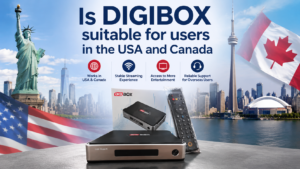
1️⃣5️⃣ Is DIGIBOX Suitable for Users in the USA and Canada?
Yes, DIGIBOX TV BOX is a suitable entertainment solution for users in the USA and Canada, especially for those who want a flexible and convenient way to enjoy digital entertainment at home. For overseas families, a reliable Android TV box for the US and CA needs to provide more than just basic streaming functions. It should offer stable performance, simple setup, strong network compatibility, and easy daily operation. DIGIBOX is designed to work with common home entertainment setups in North America, making it a practical choice for many households.
1️⃣6️⃣ Common DIGIBOX Problems and Solutions
DIGIBOX Has No Signal
Try:
- Check HDMI connection
- Change HDMI input
- Restart TV and DIGIBOX
- Test another HDMI cable
Remote Control Does Not Work
Check:
- Battery installation
- Bluetooth pairing
- Distance from device
DIGIBOX Is Running Slowly
Try:
- Restart device
- Clear unnecessary apps
- Check internet connection
- Ensure proper ventilation
💡 Final Thoughts: Is DIGIBOX TV Box Worth Buying in 2026?
If you are looking for a flexible Android smart TV Box for home entertainment, DIGIBOX D6 MAX is a good choice and provides a combination of:
- ✅ Modern hardware
- ✅ Easy installation
- ✅ Reliable connectivity
- ✅ Simple operation
- ✅ Flexible entertainment options
Buying from this trusted DIGIBOX retailer, digiboxofficial.com, can help ensure a smoother buying and after-sales experience.